Salesforce
- 3.5
- Rating
- 5.00M
- Installs
- Free
- Price

 Analysis by App-foxy
I use Salesforce as a work companion rather than as a general-purpose office app. On Android and iOS, its main value is having access to the same business information I need during a busy day without waiting until I am back at a desk. It is a free business app from Salesforce.com, inc., and the age rating is Everyone, which makes it approachable for a broad range of professional users. My experience is that it works best when your company already relies on Salesforce as its central customer and sales system.
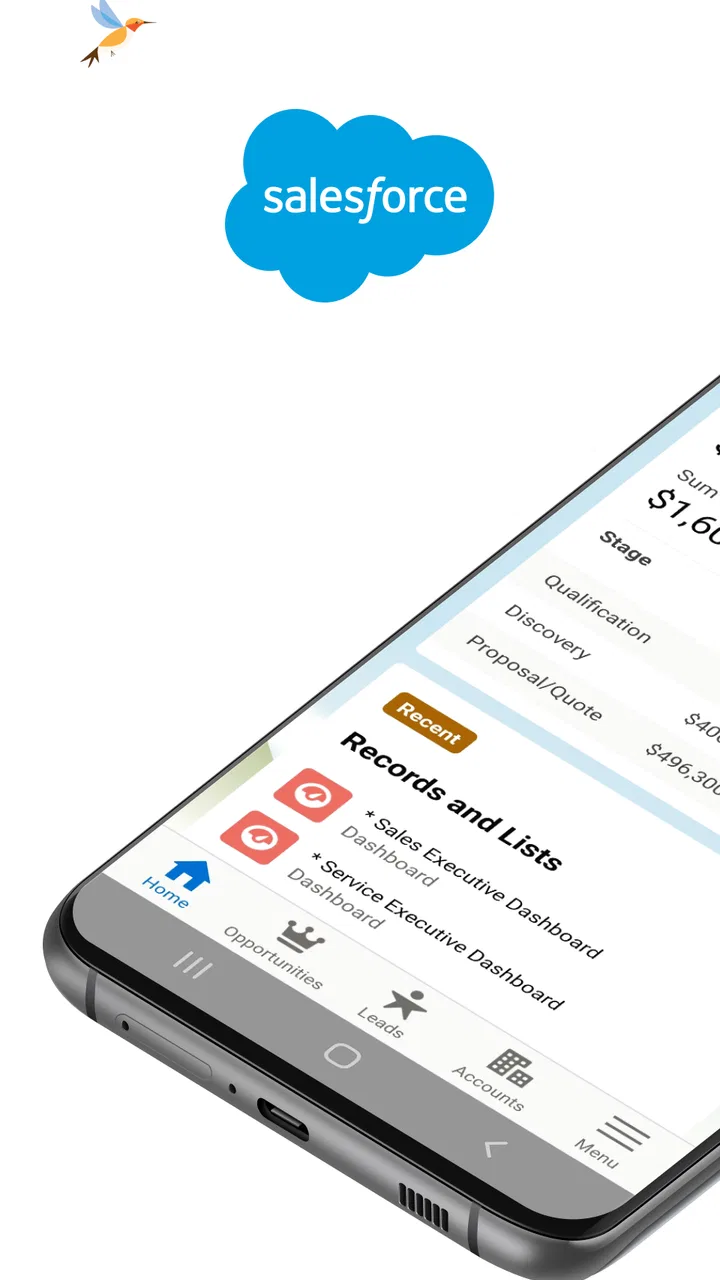
The mobile experience is not simply a smaller version of a spreadsheet. It is built around checking records, moving through daily tasks, and getting a quick view of business activity. I can open a customer record before a call, update information after a meeting, or look at a dashboard while away from my computer. That convenience is the reason I would recommend it to someone who already has a Salesforce account and needs continuity between office and mobile work.
At the same time, I would not suggest installing it just because the name is familiar. Salesforce is most useful inside an organization with an established Salesforce setup, defined users, and sensible access rules. Without that context, the app can feel like a doorway into a large system rather than a complete business tool on its own.
You May Also Like

 Blood Strike: 2.5 Anniversary
Blood Strike’s Loadouts Turn Every Drop Into a Tactical Gamble
A close look at Blood Strike’s custom loadouts: how fast access to signature weapons reshapes its battle royale rhythm, rewards preparation, and narrows the gap between fights.

 Pandora - Music & Podcasts
Pandora’s Music Is Easy to Start, but Harder to Recover
Pandora’s strength is its low-effort path from a seed to a station. Its weak spot is how much confidence it asks you to place in connection, setup, and quiet recovery.

 8 Ball Pool
 Is Built on Rivalries, Rematches, and Routine
A close look at the rivalries, rematches, shared routines, and unanswered safety questions that turn a quick pool match into a persistent mobile community.

 Samsung Music
’s Quiet Strength Is Playing What You Already Own
Its reach comes less from spectacle than from dependable access to a personal library. That simplicity is both the app’s strongest retention engine and its ceiling.

 AccuWeather: Weather Radar
AccuWeather Review: A Quick, Clear Forecast for Everyday Decisions
For everyday plans, the best forecast is the one you can understand quickly. AccuWeather makes rain timing, radar, and local conditions easy to act on, with a few trade-offs.

 Hill Climb Racing
Why Hill Climb Racing Still Turns Crashes Into One More Run
A tiny car, a bumpy hill and one more upgrade: Hill Climb Racing keeps resurfacing because its simple chaos makes every near-miss feel personal.
More From Our News Desk



What the mobile Salesforce experience is really for
I use the mobile app as a way to keep work moving between desk sessions, so this section focuses on where that quick access genuinely helps and where I would still reach for a computer. The useful question is not whether a phone can open business records, but which decisions are safe and comfortable to make on it. That distinction leads naturally to the practical safeguards worth considering next.
A practical extension of a business workspace
The strongest part of the app is the way it keeps routine customer and sales work close at hand. Instead of opening a laptop to check a contact, review an account, or inspect a dashboard, I can handle those moments from a phone. This matters when I am walking between meetings, traveling to a client, or trying to prepare for a conversation with only a few minutes available.
I found the app more valuable for short, focused sessions than for long periods of data entry. A phone screen is well suited to confirming details, reading recent activity, checking progress, and making a quick update. It is less comfortable when I need to build a complicated report, reorganize a large amount of information, or work through several fields at once. For those jobs, the desktop experience remains the better choice.
That distinction helps set realistic expectations. Salesforce on mobile is not meant to replace every part of the wider platform. It gives me access to the parts of the workday that benefit most from mobility. If your role involves frequent customer visits or constant movement between locations, that can be a meaningful advantage.
Who benefits most from it
I would put sales representatives, account managers, service staff, team leaders, and managers near the top of the list. A salesperson can review an account before entering a meeting and record the outcome immediately afterward. A manager can glance at a dashboard during the day instead of waiting for a scheduled desktop review. A service employee can consult the information available to them while dealing with a customer away from the office.
The app also makes sense for teams that need fresher records. Small delays in updating a customer interaction can create confusion for the next person who opens the account. Entering a note while the conversation is still clear in my mind is more reliable than saving it for the end of the day, when several meetings may have blurred together.
I would be more cautious about recommending it to a person who only needs a simple contact list, a personal task manager, or a lightweight invoicing tool. Salesforce is designed around structured business information and organizational workflows. If your needs are modest, a simpler app may be faster to learn and less demanding to maintain.
A realistic day-to-day example
Imagine arriving at a customer meeting with a few minutes to prepare. I can open the relevant account, review the information my organization has made available, and check the latest activity before the discussion begins. Afterward, I can update the record while the key points are still fresh. Later, a colleague looking at the same account has a better chance of seeing a current picture rather than relying on an old note or a message buried in a separate chat.
The important benefit is not one dramatic feature. It is the reduction of small gaps between an event and the record of that event. Those gaps are where follow-ups get lost and teams make decisions from incomplete information. The mobile app helps when the organization has already agreed on what should be recorded and who should see it.
Dashboards are useful, but they need context
Dashboard access is one of the more useful mobile scenarios because it turns a phone into a quick status check. I can use it to understand whether activity is moving in the expected direction before deciding where to focus my time. This is especially handy for a manager who needs a quick overview rather than a full reporting session.
My caution is that a dashboard is only as dependable as the records and definitions behind it. A polished visual summary can still be misleading if people update information inconsistently or if a team interprets a metric differently. I treat mobile dashboards as a prompt for a closer look, not as a substitute for understanding how the underlying business process works.
Trust, controls, and the moments that deserve care
I find that trust in a business app depends as much on everyday choices as on the software itself. I’ll look at how account context, shared records, and the small-screen interface shape those choices, especially when a quick update could affect colleagues or customer follow-up. With that in mind, the next section turns to the situations where a little extra care pays off.
The developer and the account relationship
The app is developed by Salesforce.com, inc., and it belongs to a larger business platform rather than functioning as an isolated consumer utility. That changes how I evaluate trust. The key question is not only whether the interface feels polished, but also whether the organization has configured accounts, roles, and access responsibly.
Because the app connects to business records, I would install it only through the normal account and device process used by my employer or organization. I would also make sure I am signing in to the expected account rather than casually mixing personal and work identities. A mobile business app deserves the same care as the desktop system it represents.
The app has an average rating of 3.7 from around 59 thousand ratings, with roughly 3.2 thousand written reviews. I read that as a mixed but understandable signal: many people find the mobile access useful, while others may encounter friction caused by account setup, organization-specific configuration, or the limits of working on a small screen. The experience can vary considerably depending on how Salesforce has been arranged for a particular team.
Verified controls matter more than assumptions
When I judge an app handling business information, I look for visible choices around signing in, account selection, and access inside the product. I do not assume that a mobile installation automatically gives everyone the same view. In practice, the organization’s account structure and user permissions are central to what appears and what can be changed.
That is also why a new user should ask an administrator which records and actions are intended to be available on mobile. It is better to understand the boundaries before editing customer information than to discover them after an accidental change. If your company has a documented process for mobile access, follow it rather than treating the app as a personal installation.
I appreciate that this approach puts responsibility in the right place. Salesforce can provide the mobile entry point, but the organization must decide how access is managed. Users should know which account they are using, what information they are expected to update, and whom to contact when something looks wrong.
Data-sensitive moments in everyday use
The most sensitive moments are often ordinary ones: opening a customer record in a public place, checking a dashboard while someone is looking over your shoulder, or leaving a phone unlocked after finishing a task. The convenience of mobile access also means business information can appear in places where a desktop would not normally be used.
I try to keep those situations in mind. I avoid displaying customer details unnecessarily, check that I am working in the correct account, and finish the session when I am done. These are simple habits, but they matter more than relying on a vague feeling that an app is safe because it comes from a well-known company.
I am also careful when updating records from a phone. A compact screen can make it easier to overlook a field, select the wrong item, or save an incomplete note. For a quick correction, mobile is convenient. For a major change affecting several related records, I prefer a larger screen and a slower review.
The trade-off between speed and accuracy
Salesforce’s mobile value comes from reducing delay, but speed is not always the same as quality. A fast update is helpful when it captures a clear meeting outcome. It is less helpful when I rush through a complicated form or enter a vague note simply to mark a task complete.
My practical rule is to use the phone for information that is easy to verify in the moment and save complex cleanup for a desktop session. I also reread important entries before saving them. This small pause protects the shared record and reduces the chance that a colleague will act on a hurried or ambiguous update.
What can feel frustrating
The first source of friction is complexity. Salesforce supports many kinds of business workflows, and that flexibility can make the mobile experience feel heavier than a focused sales or contact app. New users may need guidance before they understand where records live, which views matter, and which actions their role allows.
The second issue is dependence on configuration. Two organizations can use Salesforce very differently, so a screen that feels obvious in one workplace may be crowded or incomplete in another. If a field, dashboard, or workflow is not set up well by the organization, the mobile app cannot magically make the process clear.
The third limitation is the phone itself. Reading a record is usually comfortable, but deep editing, comparison work, and detailed reporting can become tiring. I would not choose the mobile app as my only way to manage a large Salesforce environment. It works best as a companion to the full platform.
How it compares with simpler alternatives
Compared with a basic customer relationship app, Salesforce offers a more structured environment for organizations that need shared records, defined roles, and dashboards. That structure can be a strength when many people depend on the same information. It can also feel excessive for a freelancer or small team that only wants names, notes, and reminders.
Compared with a spreadsheet, the app is better suited to controlled business workflows and information that several people need to access consistently. A spreadsheet may be quicker to start, but it can become difficult to manage when records, responsibilities, and reporting needs grow. Salesforce asks for more setup, yet that investment can pay off when the team needs a common system rather than a file passed between people.
Compared with email or messaging, Salesforce creates a more durable place for customer activity. Messages are useful for conversation, but they are not always a dependable long-term record of an account. I see the mobile app as a way to move the important outcome of a conversation into the shared system, not as a replacement for every communication tool.
Questions I would settle before installing it
The first question is whether your organization already uses Salesforce. If the answer is no, the app is unlikely to be useful by itself. It is not a general business notebook that becomes valuable simply because it is installed.
The next question is whether your role actually requires mobile access. If you spend most of the day at a desk and rarely need customer information away from a computer, the benefit may be limited. On the other hand, people who travel, visit clients, or manage work across locations can gain a lot from immediate access.
I would also ask what the organization expects users to do on mobile. Is the goal to review records, update activities, monitor dashboards, or handle a broader workflow? Knowing that in advance makes the app easier to judge and prevents disappointment when a task is more comfortable on desktop.
Finally, I would confirm which account should be used and what to do if a record looks incorrect. Those questions are not glamorous, but they protect both the user and the business. Clear account ownership and a simple correction process make mobile work much safer and more practical.
Version, availability, and long-term fit
The app was released in March 2011 and is currently listed as version 260.051.0. It is free to install, supports devices running operating system version 12 or later, and has passed the five-million-install mark. Those details make it accessible to many users, although the actual usefulness still depends on having the right Salesforce environment behind it.
I would check the device requirement before planning a rollout, especially in a workplace with older phones. A business app can be perfectly suitable in principle and still create practical problems if part of the team cannot run the current version. It is also worth testing the exact workflows your organization relies on rather than assuming that every mobile screen will match the desktop setup.
For long-term use, the deciding factor is not the download itself. It is whether the team maintains clean records, gives users sensible access, and treats mobile updates as part of the normal work process. When those pieces are in place, the app becomes genuinely useful. When they are missing, the phone can make an already confusing system feel even more confusing.
After using Salesforce as a mobile business tool, I see it as a strong choice for people who already work inside the Salesforce ecosystem and need reliable access while moving through the day. I especially like the ability to prepare for meetings, record outcomes promptly, and check dashboards without returning to a desk. Those are practical benefits, not just convenient extras.
My recommendation comes with a clear condition: the quality of the mobile experience depends heavily on account setup, permissions, and disciplined record keeping. I would recommend it to an established Salesforce user, a traveling sales professional, or a manager who needs quick visibility into team activity. I would steer a casual user, a very small operation, or anyone seeking a simple personal organizer toward a lighter alternative.
For the right organization, Salesforce is a useful bridge between customer work and the shared business record. I would use it for timely checks and updates, stay cautious with sensitive information in public settings, and move complex editing to a larger screen. That balanced approach lets the app deliver its best advantage—mobile access without pretending that a phone should replace the entire business platform.
FAQs for Salesforce
01What is Salesforce and how does it work?
Salesforce is a cloud-based customer relationship management (CRM) platform that helps businesses manage customer interactions, sales processes, and marketing campaigns. It provides tools for tracking customer data, automating workflows, and generating insights through analytics. Salesforce is accessible via web browsers and mobile apps, offering flexibility and scalability for businesses of all sizes.
02Is Salesforce suitable for small businesses?
Yes, Salesforce is suitable for small businesses. It offers customizable solutions that can be tailored to fit the specific needs and budget constraints of smaller companies. Features such as lead tracking, sales management, and customer service tools are designed to help small businesses grow and efficiently manage their customer relationships.
03What are the main features of Salesforce?
Salesforce offers a range of features including sales automation, customer service management, marketing automation, analytics, and app development. Users can benefit from customized dashboards, real-time data tracking, and integration with other tools such as email and social media platforms. These features help streamline business operations and improve customer engagement.
04How secure is my data on Salesforce?
Salesforce places a strong emphasis on data security with features such as two-factor authentication, encryption, and regular security audits. The platform complies with various industry standards and regulations, ensuring that user data is protected against unauthorized access. Additionally, users have control over data access and permissions within their organization.
05Can Salesforce integrate with other software applications?
Yes, Salesforce can integrate with numerous third-party applications, enhancing its functionality and allowing for seamless workflow management. Popular integrations include Microsoft Outlook, Google Workspace, and various accounting and marketing software solutions. The Salesforce AppExchange offers a wide range of apps to further customize and expand the platform's capabilities.
Pros
- Intuitive user interface for easy navigation.
- Comprehensive CRM features for all needs.
- Seamless integration with third-party apps.
- Customizable dashboards and reports.
- Strong data security and privacy controls.
Cons
- Steep learning curve for new users.
- High subscription costs for small businesses.
- Mobile app can be less responsive.
- Complex setup process for beginners.
- Occasional system updates cause downtime.

Salesforce
Gallery